
Searching Cases by Name
Match the case type first. That single step points you to the right Putnam County portal. Municipal CourtView handles traffic, misdemeanors, Municipal civil matters, and small claims. Common Pleas CourtView is the route for felonies, Common Pleas civil cases, and domestic relations. The county describes both public views as docket entries. Probate, adoption, guardianship, juvenile, and juvenile-traffic questions call for the separate Probate/Juvenile contact instead, since those records do not land in either general search on their own.
- Choose Municipal CourtView or Common Pleas CourtView based on the case type and court level.
- Read the public-access notice and accept it when the portal asks for acknowledgment.
- For a Municipal traffic ticket, enter the last name and first name only, as the court instructs.
- Open the matching result and note the court, clerk-assigned number, case type, latest dated entry, and any future setting.
- Call the Clerk if the result is unclear, old, restricted, or does not identify the file needed.
| Field or control | Type | Required | Verified Putnam County note |
|---|---|---|---|
| I Accept | Acknowledgment | Yes | Municipal CourtView requires acceptance before its public search. |
| Last Name | Text | Yes for ticket instruction | Use with first name only for a Municipal ticket search. |
| First Name | Text | Yes for ticket instruction | Do not add unverified criteria to the stated ticket method. |
| Payment in full | Payment condition | When applicable | Eligible traffic and criminal citation payments must be made in full. |
Note: Beyond the Municipal portal entry screen, Putnam County offers no additional public search fields, filters, sorting tools, or document controls.
Putnam County Case Search Portals
Putnam County splits its case search across two CourtView Justice Solutions eServices addresses. There is no single screen. The Municipal CourtView portal handles the lower court docket. For Common Pleas docket entries, the Common Pleas CourtView portal is the official route. Pick the right portal before you start. Guessing wrong means retrying the same search on the other site. The case type usually points to the right court.
The Common Pleas CourtView eServices page is where the court publishes its official case search.
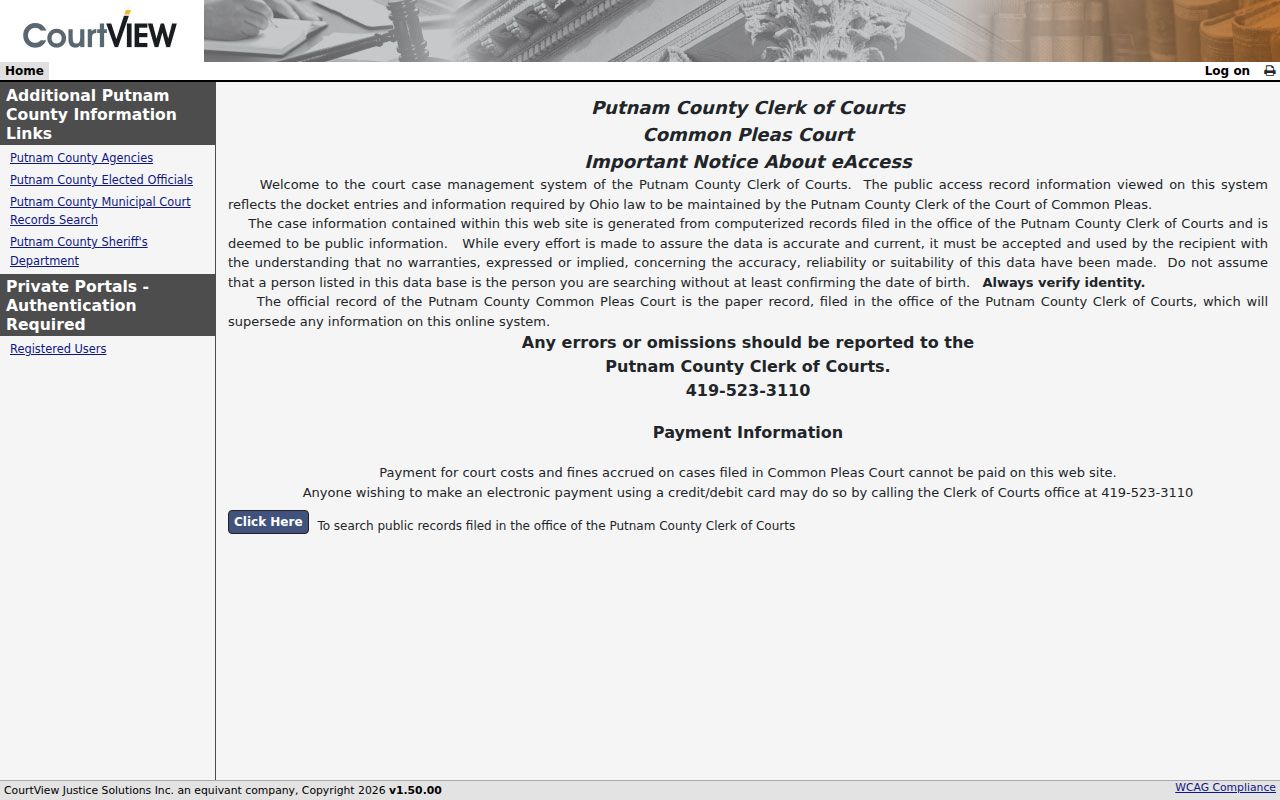
That official Common Pleas page confirms the routing point. Access is local to Putnam County, not a statewide trial-court portal.
Searching by Case Number
A clerk-assigned number is the sharpest identifier you can have. It shows up on a summons, citation, notice, motion, or an earlier docket result. Putnam County filing instructions confirm that once a Common Pleas domestic case receives its number, later hearings, motions, and orders all use that same identifier. Keep the court name attached to it. Putnam maintains separate Municipal and Common Pleas portals. The number alone does not pick the door. Enter it exactly as printed: case number exactly as shown on the court paper.
Putnam County publishes no public number mask for Common Pleas, Municipal, traffic, or Mayor's Court cases. Guessing a year, case-type code, or digit pattern would mislead you. When the number is missing, a party or caption plus an approximate filing year helps the Clerk find the right historical search path.
Putnam County Case Number Limits
A number identifies the case. Yet it does not erase the court split or the access rules. Common Pleas numbers stay on the Common Pleas docket path. A Municipal citation or small-claims number belongs in Municipal CourtView. A Columbus Grove matter may need the Mayor's Court contact rather than either CourtView address. When a court paper carries the number, keep its punctuation and court information intact. Converting it to an assumed local format only invites errors.
What a Case Search Returns
A Putnam County case result reads as a chronological case-history tool. You can look for identifying information, dated docket entries, a current or upcoming setting, and a final entry when one exists. It does not promise a downloadable image for every filing. The Municipal CourtView notice says computerized information reflects the docket entries the Clerk maintains, while the paper records filed in the Clerk's office remain the official record.
| Court and case number | Identify the court that owns the matter and preserve the number exactly as displayed or printed. |
|---|---|
| Case type | Helps distinguish traffic, misdemeanor, civil, felony, domestic, or other case paths. |
| Docket-entry date and text | Shows the dated sequence of filings, notices, hearings, orders, and other recorded actions. |
| Upcoming setting | May show a future appearance; confirm with the Clerk when the date matters or may have moved. |
| Payment or final entry | May appear for an eligible Municipal citation or as a judgment, dismissal, plea outcome, or other disposition. |
Putnam County Case Search Details
Read any result in date order. A filing starts or adds to the record. A notice of hearing marks a scheduled event. A motion asks the court to act, and it is a request rather than a ruling. A later order, judgment entry, dismissal, plea outcome, or sentence may change the case status. A setting is not a final result. A continuance request does not mean the court moved the date. Trust the latest dated court action over a past hearing line.
- Docket entry
- A dated notation of a filing, order, hearing event, payment event, or other recorded action.
- Case caption
- The court’s identifying title for the matter and parties when publicly available.
- Notice of hearing
- A filed notice that a matter has been set for a hearing.
- Judgment entry
- The court’s journalized decision or adjudication.
Statewide vs County Case Search
Ohio offers no public statewide trial-court docket search that replaces Putnam County's two CourtView portals. So the court choice comes first. A generic statewide site can miss the court-specific record path Putnam County documents. State Supreme Court materials publish rules and reporting resources. But they do not form a single public Putnam trial-court case index.
| Search route | What it covers | Best local use |
|---|---|---|
| Municipal CourtView | Putnam Municipal traffic, misdemeanors, civil matters, and small claims. | Start here for a county traffic ticket or lower-court case. |
| Common Pleas CourtView | Putnam Common Pleas felony, larger civil, and domestic-relations docket entries. | Start here when the case belongs in Common Pleas. |
| Statewide public trial-court portal | No documented public Ohio replacement for either Putnam portal. | Do not treat a general state resource as a substitute for the county case search. |
Putnam County Case Search Coverage
The portal split also explains why a case may not appear in your first search. Municipal Court holds countywide traffic and misdemeanor jurisdiction. It also handles civil claims at or below $15,000 and small claims at or below $6,000. Court of Common Pleas takes felonies, civil matters above the Municipal threshold, and domestic relations. Probate and Juvenile sit on a distinct county line. Choose the court before you type a name, and the docket search narrows itself.
Access and Restricted Cases
Access has limits. Ohio court rules presume the public may read court records. Yet they shield certain material, including personal identifiers. Sealed criminal records, protected juvenile files, adoptions, and anything restricted by court order can be missing or trimmed in a docket result. Other gaps have innocent causes. The case may live in the other CourtView portal, may not be filed yet, or may predate the digital record. So an empty search is never proof that a case does not exist.
Ohio law decides who may inspect sealed criminal material. The right route runs through the court that holds the case rather than around a public-search limit. For any docket or copy question in Putnam County, the Clerk of Courts can explain which clerk channel applies. The clerk can also say whether the record must be requested directly.
Putnam County Public Case Access
The Municipal CourtView entrance also lists a "Private Portal - Authentication Required" link. That is a clear signal. Some functions stay closed to the public. So treat the service as access to public docket entries after you accept the required acknowledgment. It is not open access to every image, account tool, or internal case-management feature. The court does not document the inside view. Dropdowns, sorting, downloads, and pagination stay unknown.
The Municipal CourtView eServices page is the public entrance. It posts the ticket-search notice itself.
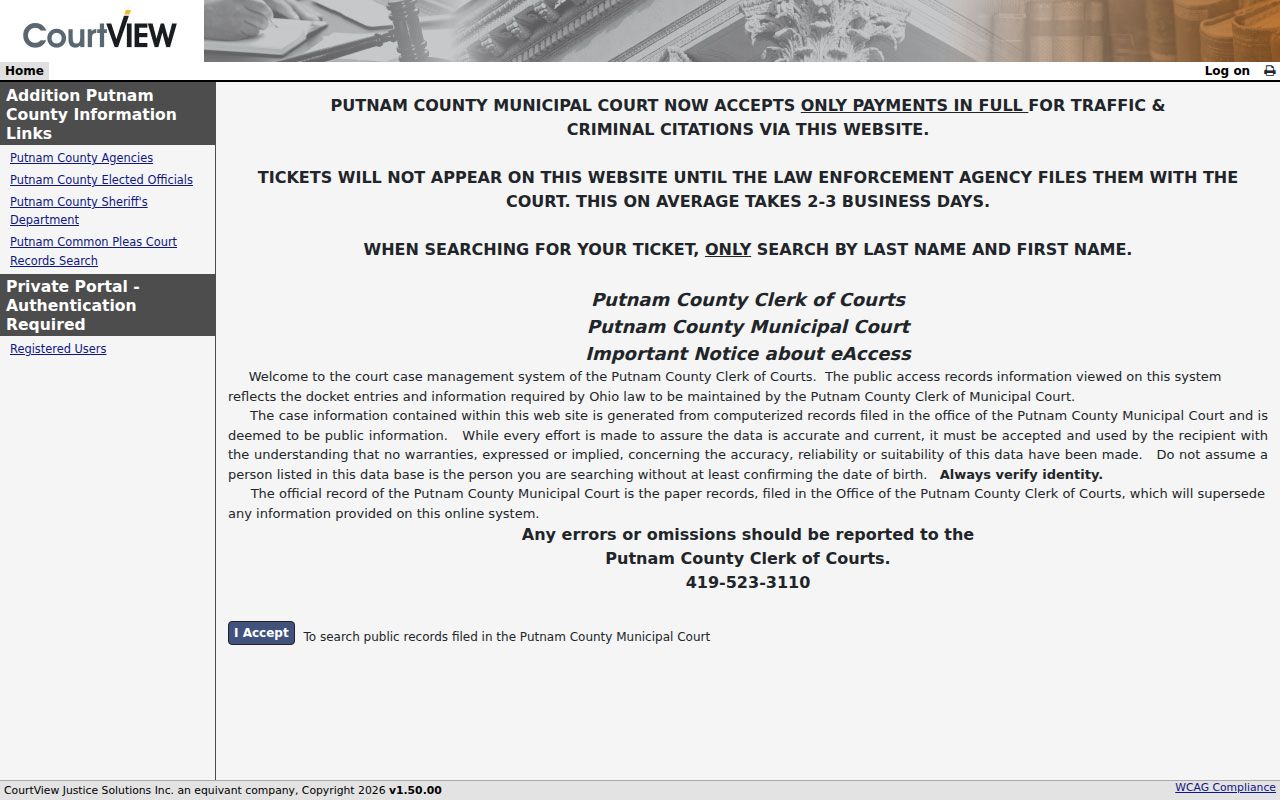
The official page makes the first step plain: accept the notice, then follow the ticket instructions exactly as displayed. Nothing more is needed to begin a Putnam County docket search.
Putnam County Case Search No Results
No result does not mean no case. For a fresh traffic ticket, the county says filing runs about two to three business days behind the law enforcement filing. Give it that window. Then run the Municipal ticket search again using last name and first name only. For an older civil, domestic, or felony matter, hand the Clerk the court, the approximate year, the number if known, and any caption information. Coverage explains many gaps. Civil and domestic records reach back to early-1950s microfilm. Felony microfilm runs to 1974, and scanning into the court computer system only began in 2005.
Putnam County Case File Control
Treat the online docket as a locator and case-history tool, nothing more. When the screen and the Clerk's paper file conflict, the paper file controls. That difference matters most when you need a filed order, a complete document, or a certified copy rather than a dated docket line. Call the Putnam County Clerk of Courts at 419-523-3110 whenever an online result seems unclear, old, restricted, or simply thin for your purpose. The county also lists fax, email, in-person, and mail routes for records contact.
Found the case but not the document? The county's Putnam County court records page explains the direct copy path and the difference between a docket entry and the paper file behind it.
Putnam County Probate Case Route
Probate and Juvenile matters take a separate route. Putnam County gives that division its own number, 419-523-3012. It covers estates, guardianships, adoptions, juvenile matters, and juvenile traffic. Call before assuming a Municipal or Common Pleas docket result tells the whole story. Some categories there carry extra access restrictions. So the court contact beats a broad name search every time.
Putnam County Case Search Terms
Local vocabulary matters. Putnam County says "docket entries." A docket is simply the chronological register those entries build. The filed document is the pleading, notice, order, or judgment behind a given entry. Hold onto that distinction whenever a docket search says a document was filed yet no public image appears. The Clerk keeps and preserves the legal record for both Common Pleas and Municipal Court. That makes the office the right place to confirm exactly which record layer you need.
Note: A certified copy request concerns an authenticated clerk copy. It is not just a screen view of a Putnam County docket entry.